CoreCP - Creo Companion
CoreCP - Creo Companion
Swept up files aren't gone forever. They are held in quarantine for an adjustable number of days so you can easily restore them. Simply select the files that you want to restore and CoreCP will put them right back where they came from. Sort and search options are also available.
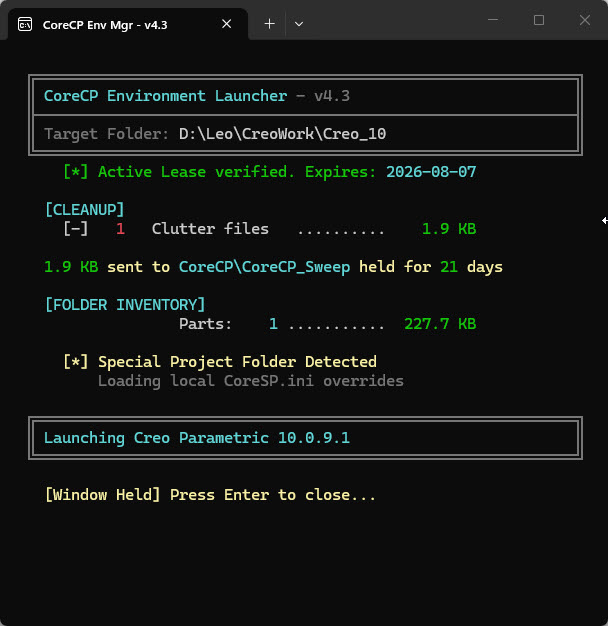
Placing a CoreSP.ini file in any folder designates that folder as a Special Project, allowing project‑specific
overrides. CoreCP will launch the correct Creo
Parametric version (if specified), set the working directory to this folder,
and build an isolated setup for you containing:
● Configuration file copies: in a dedicated CoreSP_UserEnv sub folder, local copies of your creo_parametric_customization.ui (window settings) and mapkey.pro (mapkeys) for this
specific project.
● Project config: Provides a clean config.pro template, for any
project-specific overrides.
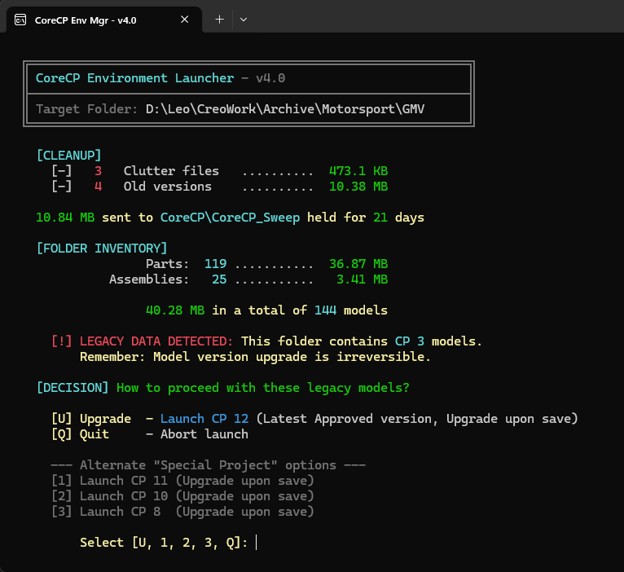
The CoreCP Launcher
evaluates the target folder’s data set by reading the headers of the five
largest part, assembly, and drawing files. It then cross-references this data
with the currently installed versions of Creo Parametric. If the native CP
version is not found, the launcher pauses, requiring the user to make a
deliberate choice before proceeding with a potential irreversable data upgrade.
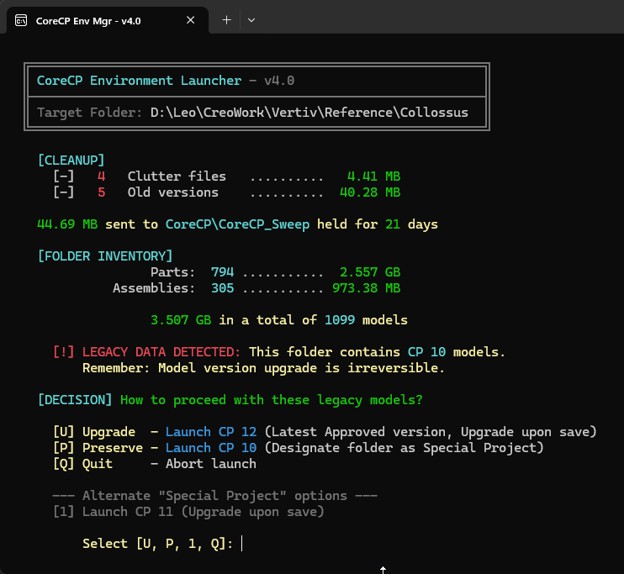
When an installed
version of Creo Parametric matches the target folder's data set, CoreCP
provides the option to preserve the files. Selecting this option automatically
designates the target folder as a “Special Project,” ensuring the current data
version is preserved and shielded from accidental upgrades.