CoreCP - Creo Companion

CoreCP | Creo Companion

Functions

Dynamic Version Discovery

CoreCP will find valid Creo Parametric installations on your machine. The default behavior is to launch the very latest and can be configured to choose a specific version or to limit the auto-selection.

Identifies Data Version

Evaluates the target data set to determine its native version. This ensures the appropriate CP version is targeted, actively preventing unintentional, irreversible data upgrades by presenting a clear choice when a mismatch is detected.

Cordon Special Projects

Use a Special Project when specific Creo versions, alternate Windchill logins, or any other isolated settings are desired. Each Special Project has a uniquePTC_WF_ROOTassigned to the automatically createdCoreSP_UserEnvsub-folder.

read more

Access CoreCP Anywhere

Launch CoreCP instantly. Just right-click any folder, background, or model file.

Crystal-Clear Launch Feedback

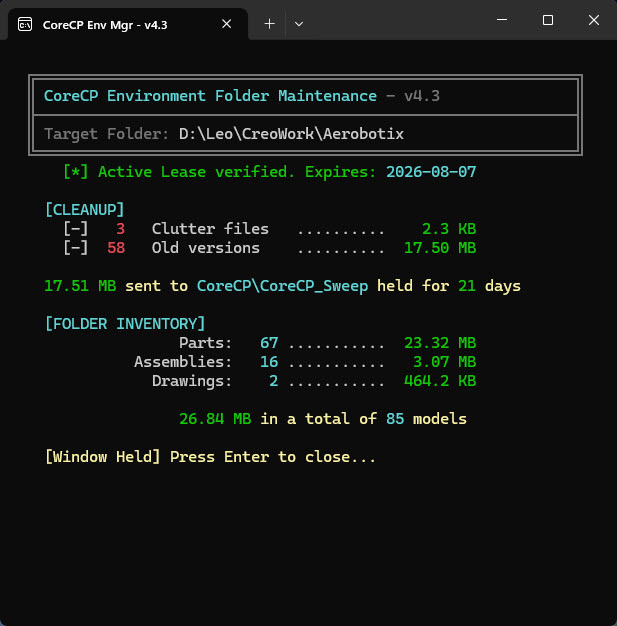
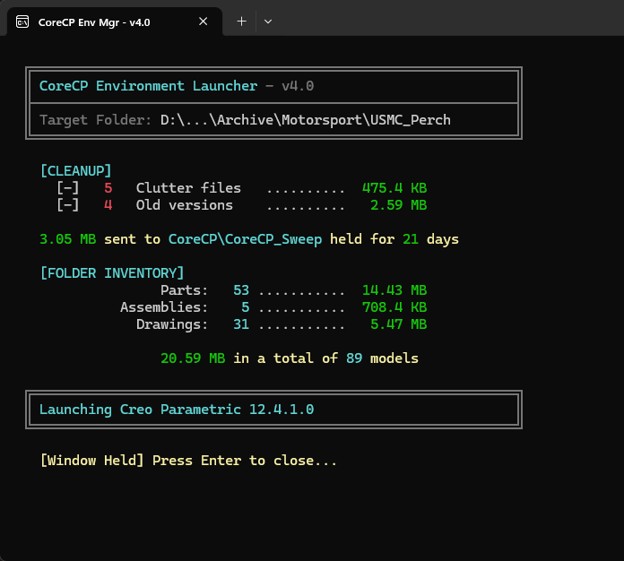
Clear. Accurate. Informational. Delivers the exact feedback you need, then automatically closes.

Standalone CoreCP Sweep

Bypass the launcher. Instantly clean and organize any directory with a single right-click.

When Target Data Matches the Latest Allowable CP Version

Right-clicking (RMB) on or within a folder and selecting CoreCP Launcher sets that folder as the Working Directory (the "Target"). The launcher performs a quick inventory of the folder, moving clutter files and older model iterations to CoreCP_Sweep, where they are retained for a specified duration. Once the cleanup is complete, the latest installed version of Creo Parametric is launched.